
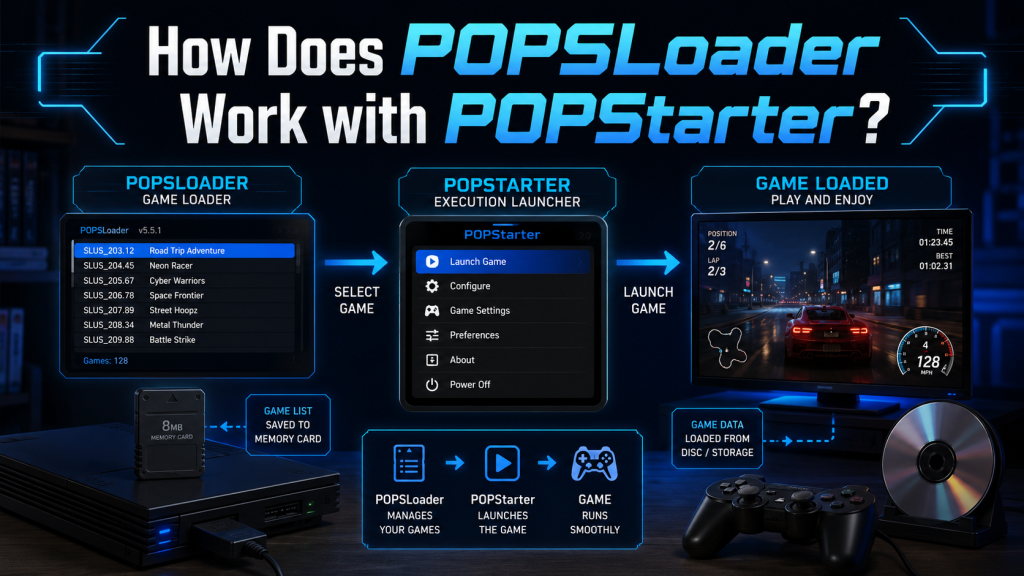
POPSLoader and POPStarter are two important tools used in PlayStation 2 homebrew gaming to improve PlayStation 1 (PS1) emulation. POPStarter works as the main loader that runs PS1 game images on the PS2, allowing users to play games from USB, HDD, or network storage instead of original discs. POPSLoader, on the other hand, acts as a compatibility enhancer that lets users select different versions of the PS1 emulator (POPS).
This helps fix game-specific issues like black screens, crashes, or audio glitches. Together, they create a more stable and flexible PS1 gaming experience on the PlayStation 2 system.
Read More: How Do I Set Up POPSLoader on PS2?
What is POPStarter?
POPStarter is a homebrew emulator designed for the PlayStation 2. Its main purpose is to run original PlayStation (PS1) games using the PS2 hardware.
Instead of relying on discs, POPStarter allows you to load PS1 games from:
- USB drives
- Internal HDD (PS2 fat models)
- Network (SMB share)
It acts as a bridge between PS1 game images (usually BIN/CUE or VCD formats) and the PS2 system.
What is POPSLoader?
POPSLoader is not a standalone emulator. Instead, it is a compatibility layer and version selector used with POPStarter.
Different versions of the PS2’s built-in PS1 emulator (called POPS) behave differently. Some games run better on older POPS versions, while others require newer ones.
POPSLoader lets you:
- Choose different POPS versions
- Improve game compatibility
- Fix crashes, audio issues, or black screens
- Optimize performance for specific PS1 titles
How POPSLoader Works with POPStarter
The relationship between POPSLoader and POPStarter is simple but powerful:
POPStarter = The Engine
It loads and runs PS1 games on PS2.
POPSLoader = The Settings Switch
It selects which PS1 emulator version (POPS) POPStarter should use.
When you launch a PS1 game:
- POPStarter starts first on your PS2
- POPSLoader checks which POPS version is selected
- The chosen POPS module is loaded into memory
- POPStarter runs the PS1 game using that POPS version
This process happens automatically once everything is configured correctly.
Why Do You Need POPSLoader?
Not all PS1 games behave the same way. Some common issues include:
- Game freezes on startup
- Missing audio or cutscenes
- Controller input lag
- Black screen after loading
By switching POPS versions using POPSLoader, you can:
- Find the most stable emulator version for each game
- Improve overall compatibility
- Reduce crashes and glitches
For example, a game like Final Fantasy VII might run better on one POPS version, while Tekken 3 works better on another.
How They Improve PS2 PS1 Emulation
Together, POPSLoader and POPStarter make PS2 one of the most flexible PS1 emulation setups available without using a PC.
Benefits include:
- Better game compatibility
- Ability to run games without discs
- Support for multiple storage methods
- Easy switching between emulator versions
This makes the PS2 a powerful retro gaming console even today.
Basic Workflow Summary
Here’s a simple way to understand their interaction:
- POPStarter loads the game
- POPSLoader chooses the emulator version
- POPS (PS1 emulator inside PS2) runs the game
- You play the PS1 game on PS2 hardware
Conclusion
POPSLoader and POPStarter together create a powerful solution for running PlayStation 1 games on a PlayStation 2. While POPStarter handles the actual loading and execution of PS1 game images, POPSLoader ensures better compatibility by allowing users to switch between different PS1 emulator versions. This combination helps solve common issues such as crashes, black screens, and audio glitches, making gameplay smoother and more reliable. For retro gaming enthusiasts, understanding how these two tools work together is key to getting the best performance and stability from PS1 games on PS2 hardware.